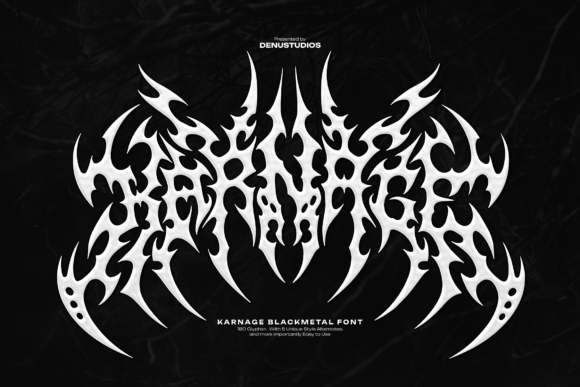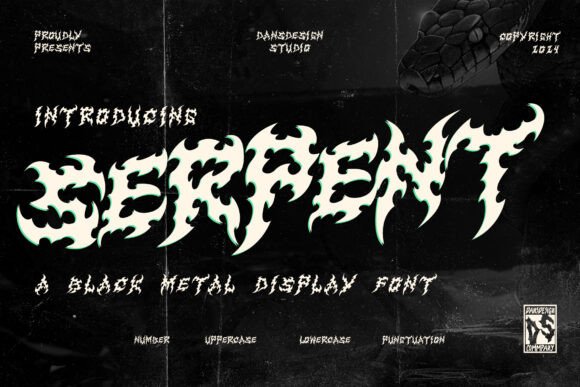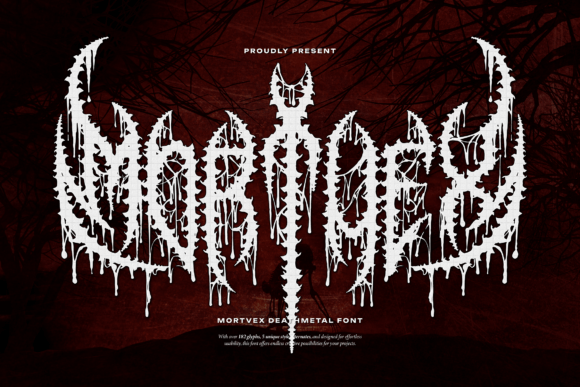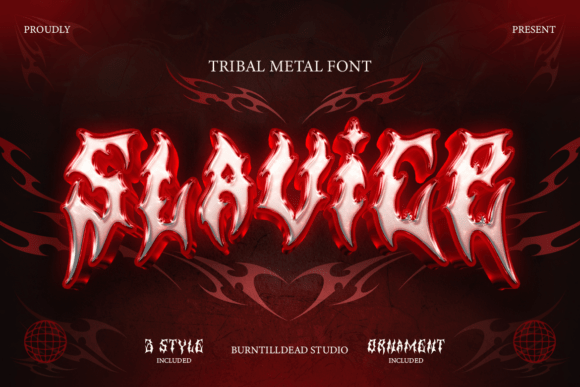
Sacrifice: Unleashing Chaos and Power Through a Fierce Black Metal Display Font
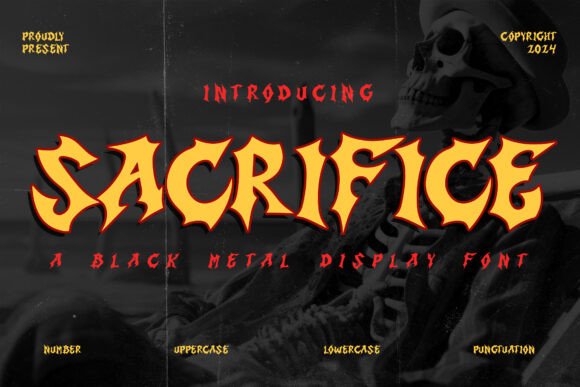
In the world of design, typography plays a crucial role in setting the tone and mood of any visual project. Whether you're creating a band logo, designing a heavy metal poster, or crafting horror-themed merchandise, the right font can make all the difference. Enter Sacrifice, a bold and intense black metal display font that radiates darkness and rebellion. With its razor-sharp edges, blazing curves, and infernal presence, Sacrifice is more than just a typeface—it’s a tool for making a statement.
What Is Sacrifice and How Does It Fit Into Your Workflow?
Sacrifice is a display font specifically crafted to capture the essence of black metal aesthetics—raw, chaotic, and powerful. Designed for maximum impact, it features jagged letterforms, dynamic contrast, and a menacing vibe that immediately commands attention. This font isn’t just an artistic choice; it's a strategic one that aligns with branding and design workflows where intensity and edge are key.
It fits best into projects that require high visibility and emotional resonance. Think of it as the final element in your creative toolkit, used after conceptualizing your message and choosing your color palette to tie everything together. Its aggressive style works well in both print and digital formats, especially when paired with dark, moody imagery and strong negative space.
Pre-Project Preparation: Choosing the Right Font for the Right Message
Before diving into a design project, it's essential to consider the message you want to convey. For themes centered around rebellion, chaos, or darkness, Sacrifice is a natural fit. Use it early in the planning phase to set the visual direction of your project. When brainstorming with a team, presenting this font can help establish a shared vision and tone for the work ahead.
- Define your project’s core theme and audience.
- Evaluate how Sacrifice aligns with your brand identity.
- Check compatibility with your design software and platforms (e.g., Adobe Illustrator, Photoshop, or online tools like Canva).
Integrating Sacrifice Into Creative Processes
Once you've decided on using Sacrifice, the next step is to integrate it into your workflow. Start by importing the font into your preferred design application. Ensure that your system supports OpenType or TrueType format, which most modern software does. If you’re working in a collaborative environment, share the font file with your team members or upload it to cloud-based design libraries to maintain consistency across all deliverables.
When applying Sacrifice to a design, focus on hierarchy and readability. While the font is visually striking, it’s not suited for long blocks of text. Instead, use it for headlines, titles, and short impactful phrases. Pair it with a more legible sans-serif or serif font for body copy to balance aesthetics with functionality.
Design Examples Where Sacrifice Shines
- Band Logos: Use Sacrifice for the main name or tagline to give your logo an aggressive, unforgettable look. Layer it with shadows or metallic effects to enhance depth.
- Heavy Metal Posters: Apply the font to event names or band names to create a sense of urgency and raw energy. Combine it with fire textures or blood splatter overlays for added intensity.
- Horror Merchandise: From t-shirts to vinyl records, Sacrifice adds a sinister flair that complements horror visuals. Make sure to test it at different sizes to ensure it remains readable and impactful on small formats.
- Underground Branding: If your brand thrives on exclusivity and edginess, Sacrifice can reinforce that image. Use it consistently across promotional materials, website headers, and social media posts for a unified aesthetic.
Optimizing Usability and Compatibility
To get the most out of Sacrifice, consider how it interacts with other design elements and tools. The font may require some fine-tuning to match your overall layout. Here are a few tips to optimize its usability:
- Adjust spacing and kerning manually if the default settings don’t feel tight enough for your composition.
- Use layer styles like bevels, embossing, or gradient fills to add dimension and texture.
- Test the font on various backgrounds—high contrast between the text and background enhances readability and impact.
- Ensure that the font license allows for commercial use if your project involves selling products or services.
When working in teams, organize your font files within a centralized resource folder or asset management platform. This ensures everyone has access to the same version of Sacrifice and prevents inconsistencies in the final output.
Workflow Example: Designing a Heavy Metal Poster
Here’s a practical example of how Sacrifice might fit into a real-world workflow:
- Begin by sketching the poster layout, focusing on placement of the title and supporting graphics.
- Import Sacrifice into your design software and apply it to the headline.
- Add stylistic effects such as smoke or flame overlays to complement the font’s fiery nature.
- Review the design for clarity—ensure the title stands out without overshadowing other important details like dates, venue, or ticket information.
- Export the final file in appropriate resolutions for print and digital use, keeping quality control top of mind.
Long-Term Use and Consistency
While Sacrifice is ideal for standout moments, it’s also important to maintain consistency across your branding efforts. Create a style guide that outlines how and when to use this font. Define rules for size, weight, spacing, and pairing with other fonts so that every piece of content maintains a cohesive look.
Over time, you may find yourself relying on Sacrifice for multiple campaigns. To streamline future projects, save custom presets or templates in your design software. These can include pre-styled text layers, ready-to-use graphic assets, and layout structures that incorporate the font effectively. Doing so saves time and reduces errors in execution.
Quality Control and Testing
Always test your designs with Sacrifice across different mediums before finalizing them. Print samples to see how the sharp edges translate onto physical materials, and view digital versions on multiple screen sizes and devices. This helps catch issues related to legibility, scaling, or alignment early in the process.
Consider conducting user testing or peer reviews to gather feedback. Ask whether the font enhances the intended message or if it feels overwhelming. This iterative approach ensures that Sacrifice serves its purpose without compromising the usability of your design.
Practical Observations and Tips
Here are a few observations from designers who have successfully integrated Sacrifice into their projects:
- The font performs best in uppercase letters, as lowercase forms can appear less balanced due to its stylized nature.
- Use it sparingly in multi-page documents or websites to avoid visual fatigue. Reserve it for key headings or calls to action.
- Pair it with dark, muted colors or neon accents for a dramatic effect that highlights its fiery energy.
- For underground or niche branding, consider combining Sacrifice with hand-drawn illustrations or abstract shapes to amplify its rebellious character.
How Sacrifice Complements Other Tools and Methods
Sacrifice doesn’t exist in isolation. It works best when combined with other design principles and tools. For instance, when using a grid-based layout system, position the font at focal points to draw the viewer’s eye. When working with vector art, let the font anchor the composition and build around it.
If you’re using design systems like Figma or Sketch, store styled versions of Sacrifice as reusable components. This speeds up the design process and ensures that your typographic choices remain aligned with your brand’s identity across all touchpoints.
Real-World Outcomes and Implementation
Designers who’ve implemented Sacrifice report higher engagement rates, particularly in genres that rely on strong visual storytelling. One independent artist noted that using the font in their EP cover led to increased interest from music labels and fans alike. Another creator used it for a limited-edition T-shirt line and saw a 20% boost in sales compared to previous releases with more conventional fonts.
These outcomes highlight the importance of selecting the right font based on your audience and objectives. Sacrifice isn’t just about aesthetics—it’s about creating an emotional response that resonates with viewers and drives action.
Best Practices for Long-Term Integration
As with any design asset, integrating Sacrifice into your long-term workflow requires careful planning:
- Keep backups of the font file and any associated resources to avoid losing access during software updates or migrations.
- Document your usage scenarios and preferences for future reference. This helps new team members or freelancers understand how to handle the font appropriately.
- Stay updated on licensing agreements to ensure continued legal use, especially if you expand your brand or collaborate with third parties.
- Experiment with subtle variations in styling to keep your use of the font fresh while maintaining its core identity.
Final Thoughts on Using Sacrifice Effectively
Sacrifice is a versatile yet powerful font that, when used correctly, can elevate your creative output significantly. Its design speaks directly to the spirit of rebellion and intensity, making it a valuable addition to any designer’s toolkit. By understanding how it functions within broader workflows and adhering to practical implementation strategies, you can harness its infernal presence without sacrificing usability or professionalism.
Whether you're launching a new brand, promoting an underground gig, or simply looking to stand out in a crowded market, Sacrifice offers a unique way to channel chaos and power through typography. Let it serve as the voice of your message, but always remember to balance strength with clarity to achieve the best results.